6 Must-have WooCommerce Plugins for your Storefront
According to the State of WooCommerce in 2026, at present, 4,453,097 live stores are running actively on the WooCommerce platform. While the core WooCommerce functionality supports standard product, order, and payment management, factors like advanced performance, optimizations, and operational efficiency are unlocked through extensions. Well-architected and purpose-built WordPress WooCommerce plugins allow businesses to introduce new feature sets and enhance customer experiences, without causing technical overheads or licensing issues.
The Baymard Institute’s large-scale usability research shows that 70.22% is the average cart abandonment rate, pointing to the fact that user experience remains a critical performance driver in businesses today. Hence, introducing targeted WooCommerce extensions can help mitigate these friction points by improving checkout designs, payment flexibility, automation, and backend workflows.
The blog highlights the 6 best WooCommerce plugins that deliver measurable improvements in usability, conversions, and store administration. Each of the listed plugins is free to use and offers practical value in building scalable and high-performing storefronts. Whether you're just starting or looking to scale your business, these tools can help you optimize every aspect of your online store.
In a Nutshell
Using the right WooCommerce extension is critical in extending the core store functionality, optimizing performance, and scalability. While WooCommerce Shipping simplifies fulfillment with real-time rates, WooPayments centralizes payment management, Jetpack enhances security and site reliability, WooCommerce Tax automates sales tax compliance, Afterpay increases conversions with installment payments, and OptinMonster drives customer acquisition through targeted campaigns. These key plugins support improved user experiences, operational efficiency, and revenue growth for WooCommerce storefronts.
How to Choose the Best WooCommerce Extensions
Choosing the right WooCommerce plugin is crucial, as selecting the wrong one can compromise your site, impact load times, and expose you to security threats and vulnerabilities. There are some pointers to be considered that reveal the reliability, security, performance, and compatibility of WooCommerce extensions with your existing stack. Given below are 7 critical factors that will help you choose the perfect WooCommerce extensions necessary for your e-commerce website.
1. Customer Reviews
According to the Spiegel Research Center, nearly 95% of shoppers consult online reviews before making a purchase.
Customer Reviews are significant in evaluating the efficiency, performance, and reliability of any WooCommerce extension. Authentic customer reviews can give you a real-world usage insight about the plugin. You can locate these reviews in a “Review box” that is present underneath the “Add to Cart” section in the product page. The reviews provided are even categorized based on ease of use, documentation, functionality, and support, which helps give a clear picture of the extensions. Consider the case of WooPayments, a payment plugin that is fully integrated with WooCommerce. It has 131 user reviews with 3.8 stars, indicating a moderate level of performance.
Ideally, WooCommerce plugins with 4.5 stars or higher on the WooCommerce Marketplace or WordPress.org are rated as good choices with a trusted community base. If you find a free extension, without any reviews, then it’s a sign that either it's new or not many people are using it. In that case, you can use other metrics like the reputation of the listed developer to analyse the extension, or use a similar alternative with better credibility.
2. Recent and Ongoing Updates
An actively updated extension is crucial for ensuring security, compatibility, and new feature development. Regular updates indicate that a specific plugin has an active development team, constantly trying to improve it. To check the recent updates carried out on a particular plugin, you can click the Latest Version box that appears beneath the Add to Cart section, next to the Reviews button.
When you click the Latest Version box, you will get a complete log showing all the changes, fixes, additions, or updates that have been made to the plugin, right from the time of its release. Choosing extensions with a consistent update history can ensure security and is proof of having an active developer community offering long-term support.
3. Integrations
Another important factor that defines a good WooCommerce plugin is its ability to integrate seamlessly with your tech stack and provide a unified experience. For instance, a shipping extension should sync with FedEx, DHL, UPS, or local delivery services. Similarly, a marketing automation plugin must support Mailchimp, ActiveCampaign, or HubSpot.
Hence, before installing an extension, check the documentation and feature lists to understand the number and quality of integrations supported by it. Modern e-commerce platforms strongly rely on multiple tools like ERPs, CRMs, payment gateways, Shipping APIs, and analytics systems; hence, analysing the integration capability of a plugin is essential and worth the time.
4. Customer Support
The availability and quality of customer support are deciding factors in measuring the merit of a WooCommerce extension. Customer support is important as it can significantly impact your development timelines and ability to troubleshoot issues quickly.
Hence, for any plugin, specifically, those powering vital storefront features like payments, shipping, or checkout, reliable customer support is non-negotiable. When evaluating WooCommerce extensions, look for one that offers multiple support options like a dedicated support forum on WordPress.org, direct email or ticket-based assistance via the developer’s website, or provides comprehensive documentation of FAQs, video tutorials, or troubleshooting guides.
5. Active Installation
Active installations can be a good indicator of a plugin’s quality, popularity, and reliability. Extensions that portray high installation counts are usually well-tested across different store configurations, which decreases the likelihood of bugs or compatibility issues.
Usually, extensions with 10,000+ active installs are considered good and have robust community support. Extensions with frequent downloads tend to receive regular security patches and updates. According to the WordPress Plugin Repository, the official WooCommerce plugin alone boasts over 7+ million active installations as of December 2025. Other top-rated WooCommerce plugins like WooCommerce PayPal Payments have 800,000+ active installations, and WooCommerce Stripe Payment Gateway has 700,000+ active installations.
Hence, the active installation rate of a WooCommerce plugin reflects on its wider adoption and continued developer investment.
6. Screenshots
Screenshots can be a practical and useful guide to understand the quality of a WooCommerce plugin. Unlike the textual information, screenshots provide a real-time preview of the plugin’s UI and functionality. It provides data about the complexity of the setup and configuration, and how well it can integrate with your use case.
For instance, the WooCommerce Subscriptions plugin provides 10 detailed screenshots on its listing page, portraying every aspect, right from subscription plans to checkout behavior. Users can preview the screenshots and get a better understanding of the plugin's efficiency.
In short, screenshots provide plugin transparency, which significantly boosts user confidence.
7. Frequently Asked Questions (FAQs)
FAQs form a crucial metric in analyzing and choosing a WooCommerce extension. They provide immediate clarity about common concerns, potential limitations, and integration abilities. Most extensions feature a dedicated FAQ section, and you can find them as you scroll down through the page.
A rich FAQ section reflects the fact that the extension is mature and has a reliable community base. They provide information about the real-world responsiveness of the plugin, meaning fewer surprises during implementation. For example, the MailPoet Plugin features an elaborate FAQ section, which addresses key topics like SMTP configuration, WooCommerce integration, and deliverability rates.
Hence, FAQs drastically help in decision-making and boosting user confidence post-integration.
6 Best WooCommerce extensions
Now that you know how to choose the best WooCommerce extension for your e-commerce store, let’s have a look at some of the top 6 WooCommerce Extensions that are well-supported, widely used, and highly effective for scaling your e-commerce business in 2026. Given below is a comprehensive breakdown of each extension, its functionality, and associated pros and cons.
1. WooCommerce Shipping
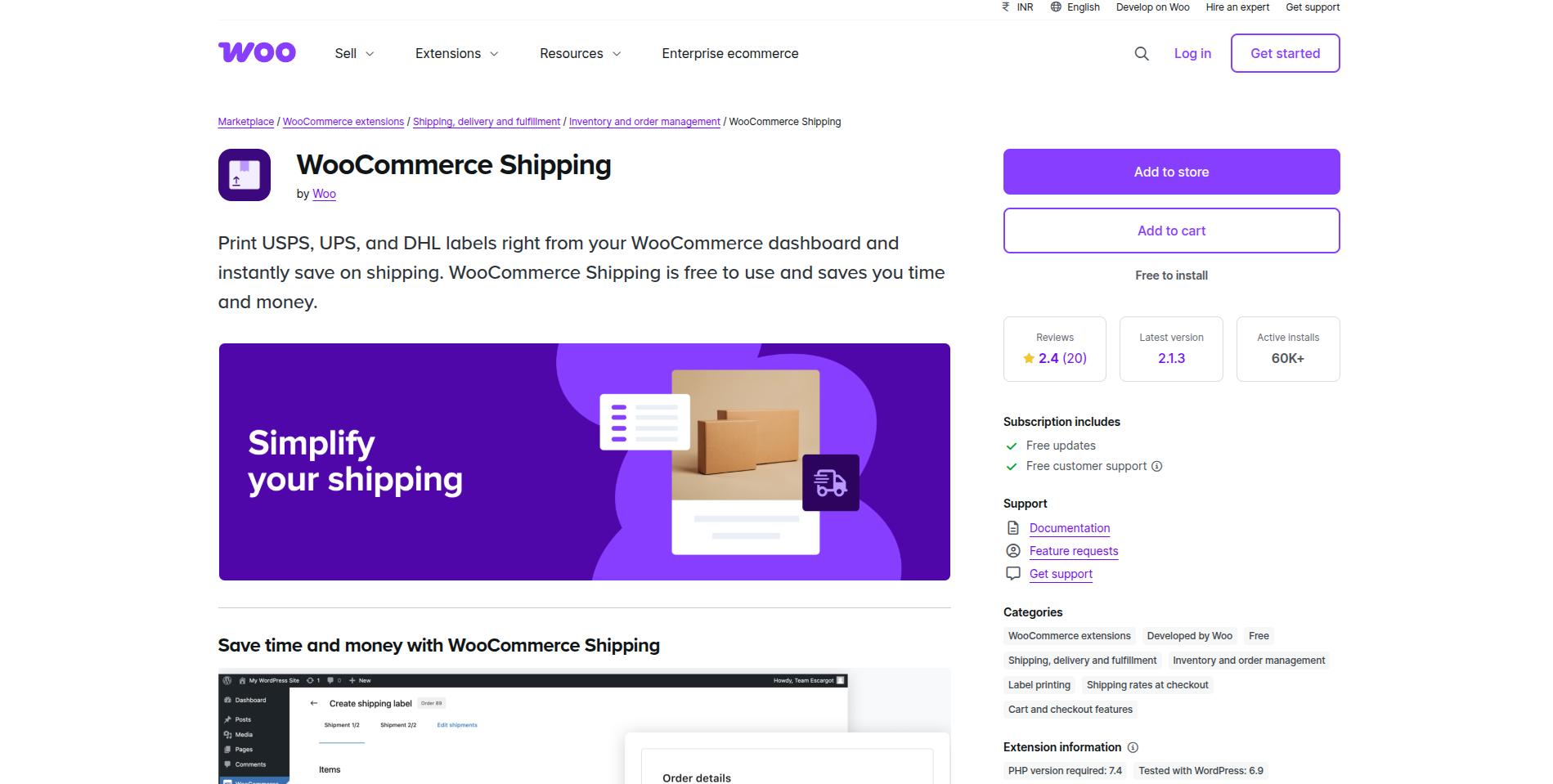
WooCommerce Shipping is an official WooCommerce plugin that is free and offers real-time features like access to discounted USPS and DHL Express rates, automated label creation, tracking, and tax calculation, which instantly saves your time and money on shipping.
According to Statista, 39% of people in the US tend to abandon their shopping during the checkout process, blaming it on extra charges like shipping, tax, and fees. Hence, offering discounted labels and helping customers to save can drastically drive good conversions.
Pros:
- Print UPS, USPS, and DHL labels right on your WooCommerce dashboard, without leaving the site.
- Seamless access to discounted USPS and DHL express rates.
- Ensure seamless compatibility and eliminate manual errors.
Cons:
- Doesn’t support many international carriers that are out of the box, hence will need to use paid plugins for others.
- Appears limited to US-based stores.
- Lacks advanced feature sets like table-rate or multi-origin shipping.
2. WooPayments
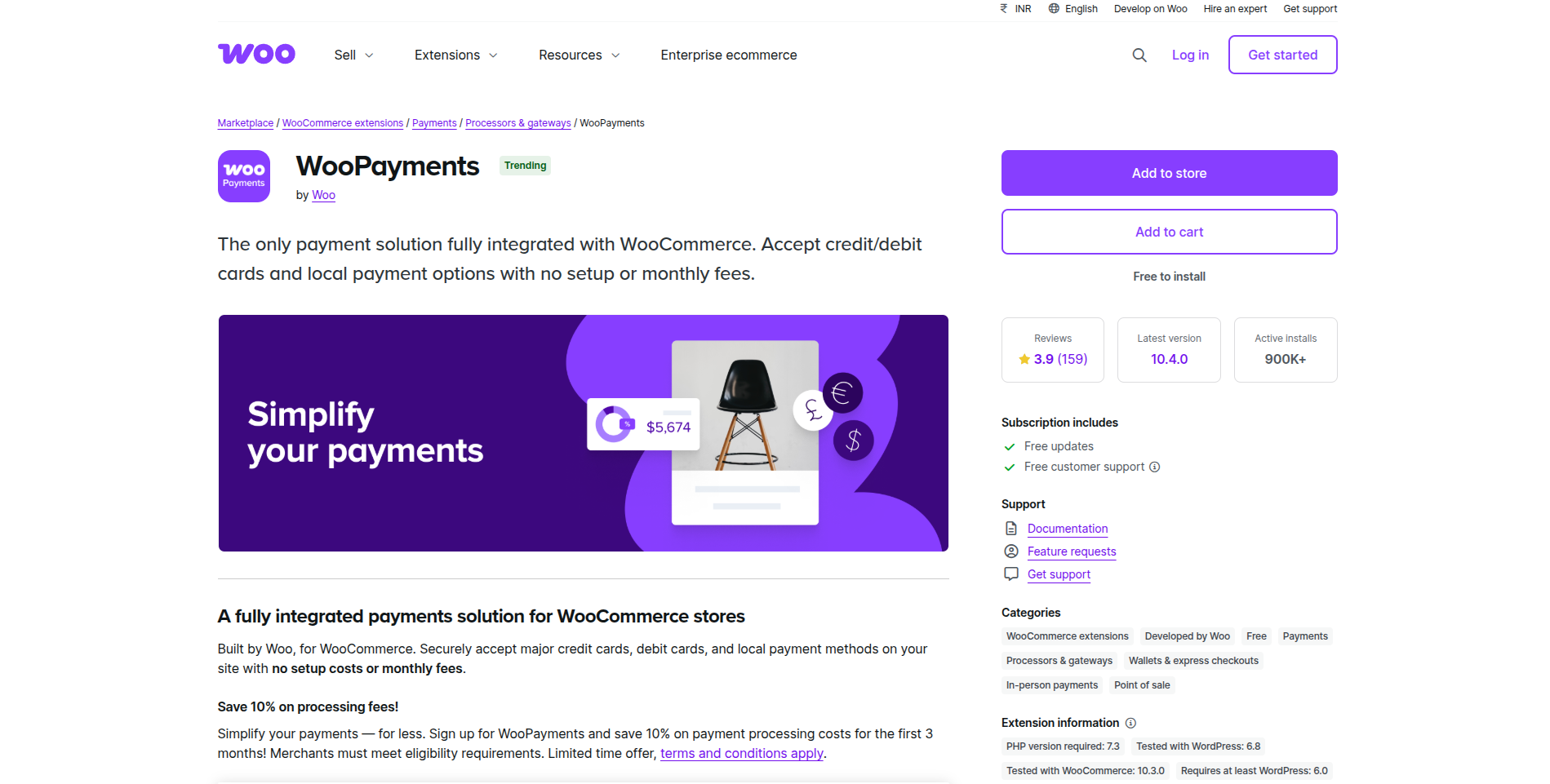
WooPayments is the only native payment gateway that fully integrates with WooCommerce. The extension allows payments through credit cards, Apple Pay, Google Pay, and other local payment options, without the need for any third-party integrations or extra setup fees.
It is a free plugin that is available in more than 35 countries, hence it supports multiple currencies and displays prices according to the customer’s currency preferences. WooPayments also has a “Woo In-Person Payments” feature that allows qualifying store owners to accept payments in person.
Pros:
- Free to install and activate
- Fully integrated with WooCommerce, offering a seamless checkout experience.
- Unified dashboard and payout history.
Cons:
- Subject to transaction fees.
- Availability is limited to certain countries like the US, UK, Australia, and EU countries.
3. Jetpack

Jetpack is a multi-purpose plugin developed by Automattic. It is one of the most popular WordPress extensions, offering a range of features like site security, backups (VaultPress), performance tools (CDN, caching), automated marketing, and analytics. According to the Web Technology Surveys, 7% of websites with known traffic analysis data use WordPress Jetpack.
VaultPress Backup is the most proven WordPress backup plugin with 269 million site backups over the last ten years.
- (Jetpack)
Premium plans offer even better feature sets, like allowing the creation of real-time backups of your WooCommerce store and customer data, real-time malware scanning, and anti-spam protection. You can also use several low-cost Jetpack plans that offer active features.
Pros:
- Enables downtime monitoring and brute-force attack protection.
- Millions of installs with an active developer stack.
- Premium versions offer built-in backups and activity logs.
- Offers image optimization and CDN for faster loading.
Cons:
- Feature-rich, but can appear bloated, especially for small stores.
- A paid subscription is necessary to access full benefits.
- It can slow down if not configured properly.
4. WooCommerce Tax
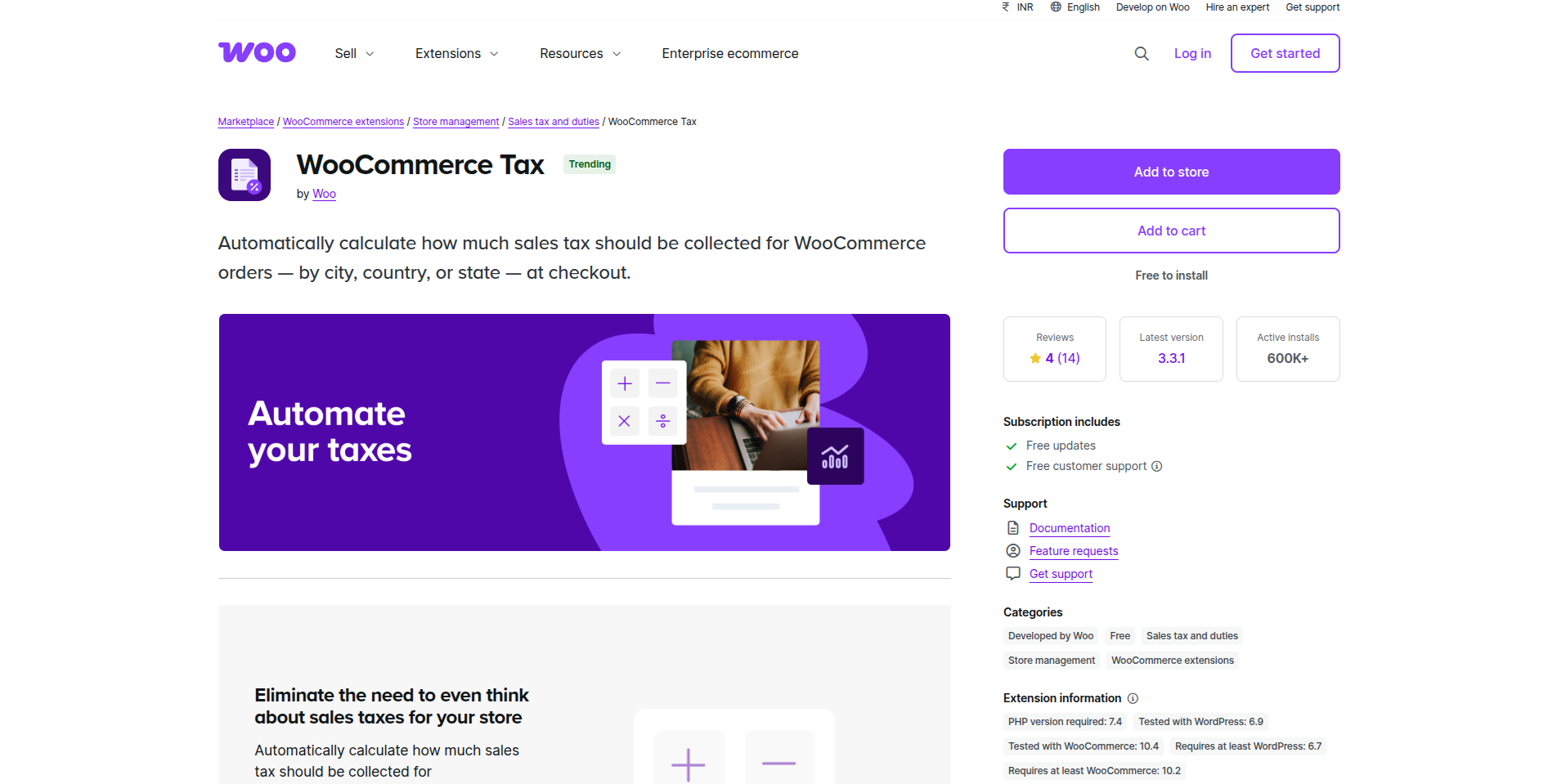
Calculating sales tax forms a crucial and tricky part of running an e-commerce store. In this scenario, WooCommerce Tax can be used. It does automatic tax calculations by integrating major services like TaxJar, Avalara, etc, and seamlessly calculates taxes based on customer locations, complying with rules, and submits detailed reports.
Pros:
- Eliminates the need for manual tax configuration
- Ensures accurate, real-time tax compliance across various regions.
- Beneficial for stores operating across multiple regions.
Cons:
- The service is limited to select regions.
- Accessing advanced tax reporting features will require a subscription to paid TaxJar accounts.
- Complex plugin and not ideal for highly customized tax needs or niche jurisdictions.
5. Afterpay
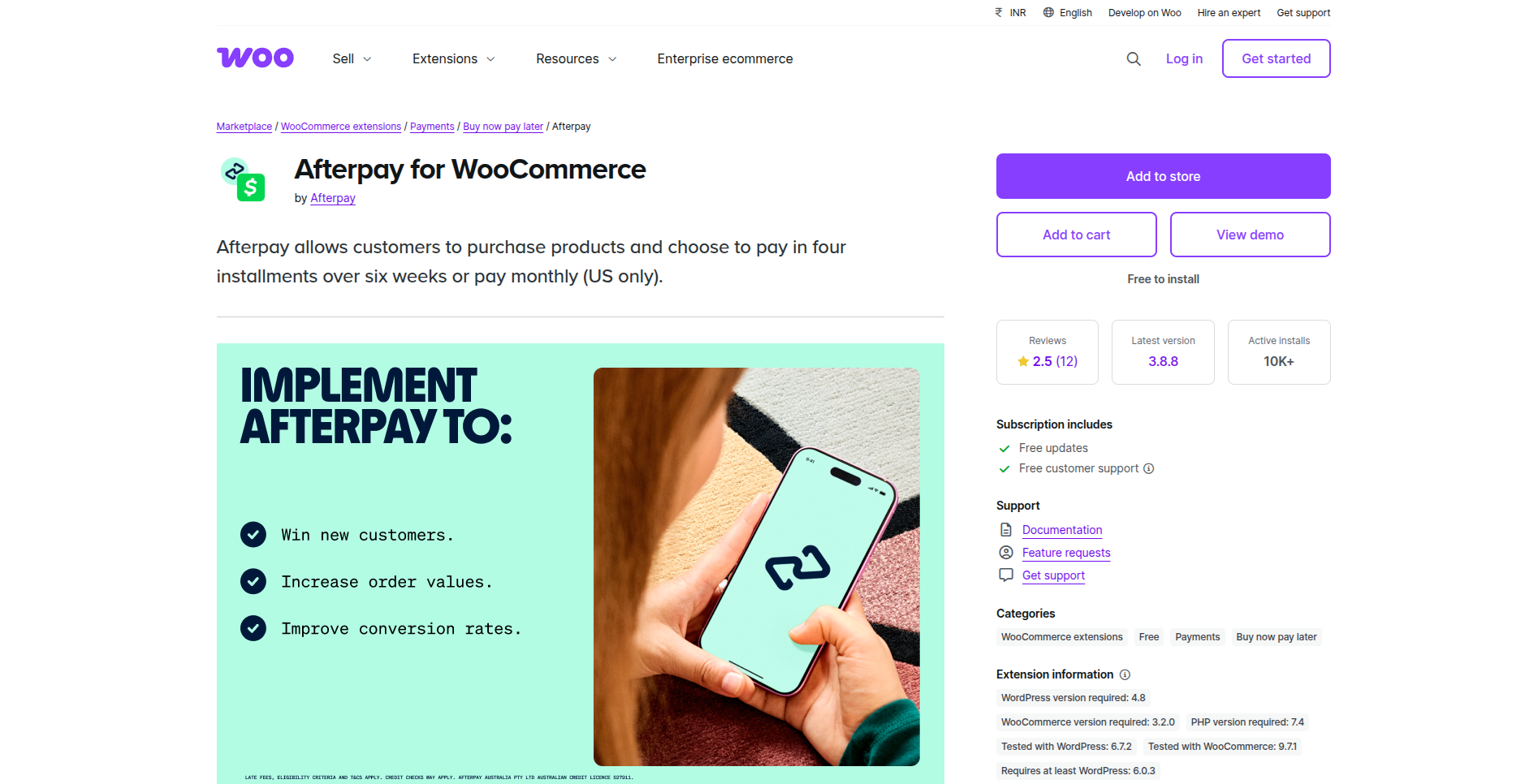
Afterpay offers flexible payment options, enabling customers to purchase and pay in four installments over 6 weeks. Boost your conversion rate with fast checkouts, without taking up any risk associated with customer fraud. But, since the plugin has limited country support, display glitches are often reported.
By adding Afterpay to our other payment options, we’re able to provide a more customized shopping experience, give our customers additional convenience and control, and reach a younger demographic who may not have been able to shop with us before.
- John Strain, Chief Digital and Technology Officer, Gap, Inc.
6. OptinMonster

OptinMonster helps WooCommerce stores convert visitors into subscribers and customers through targeted popups, exit-intent offers, and personalized campaigns. It empowers ecommerce businesses to reduce cart abandonment, grow email lists, and increase sales without disrupting the shopping experience, making it ideal for performance-driven online stores aiming for measurable conversion growth.
Pros:
- Powerful exit-intent and behavior-based targeting
- Easy integration with WooCommerce and email tools
- Boosts conversions without heavy design effort
Cons:
- Premium pricing may not suit small stores
- Advanced features require learning time
7. PH Table Rate Shipping Pro for WooCommerce
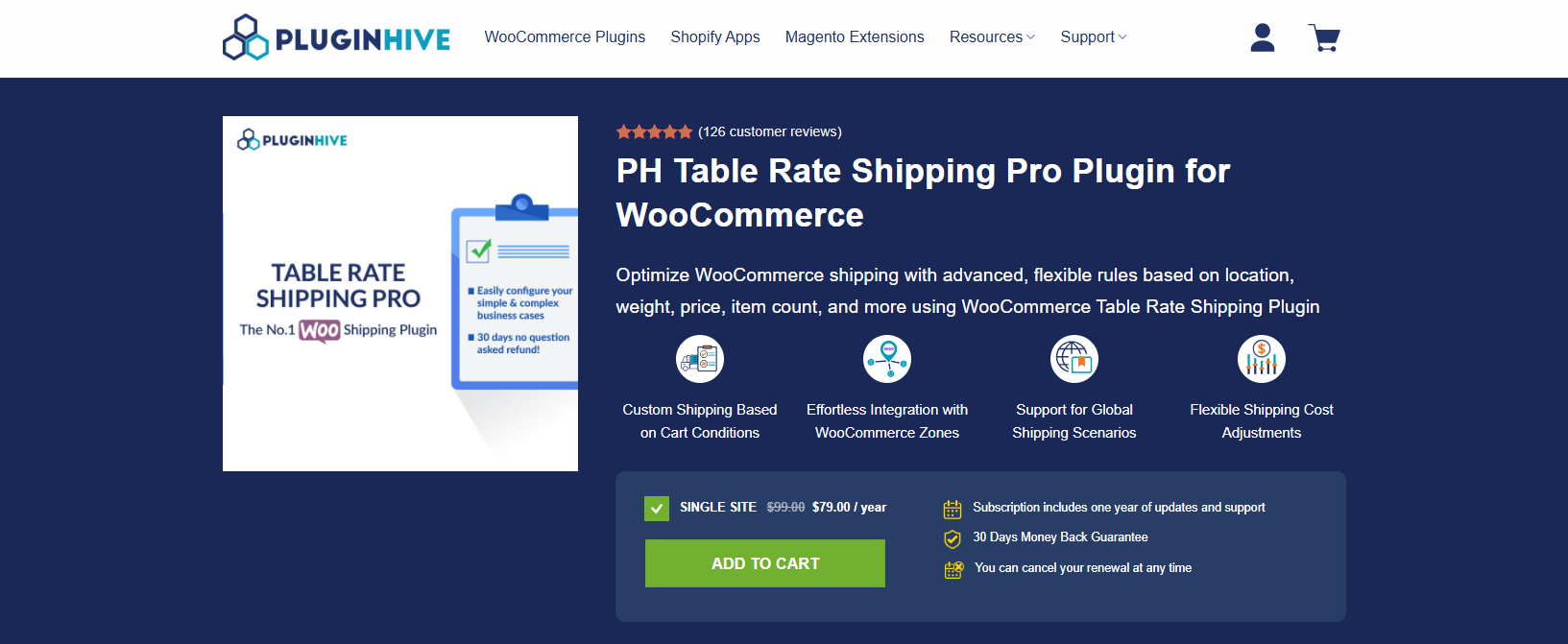
PH Table Rate Shipping Pro for WooCommerce helps you create flexible WooCommerce shipping rules based on weight, price, quantity, product category, shipping class, and destination details like country, state, or ZIP code. It supports advanced logic, CSV import/export, wildcards, and multilingual stores, making it ideal for complex shipping needs.
The plugin applies shipping costs automatically when cart conditions match your defined rules. Support for flat-rate, free shipping, handling fees, and domestic or international setups, it gives full control over your store’s shipping strategy.
Pros:
- Flexible rule setup based on multiple cart and destination conditions
- Supports wildcards, advanced calculation modes, and bulk CSV import/export
- Works with WPML and supports domestic & international shipping
Cons:
- Requires proper planning during initial setup
- Advanced features may need a short learning curve for beginners
Want to optimize your WooCommerce store with high-performing plugins?
Reach out to usLoading...
Conclusion
The right WooCommerce extensions can deliver powerful results in terms of performance and conversions when chosen and implemented strategically. From optimizing site speed and enhancing product discovery to improving checkout experience and customer trust, these free WooCommerce extensions help store owners build a more efficient, user-friendly, and scalable online storefront. These extensions act not just as optional add-ons, but as essential building blocks. Hence, for WooCommerce store owners looking to compete effectively can leverage these tools to strengthen their online presence in a frictionless, smart, and cost-effective way.
However, installing plugins is only the primary step. To unlock their full potential and attract real results, they must be implemented and customized according to your business needs. Being a trusted WooCommerce Development company, WAC specializes in helping businesses to design, optimize, and scale secure and high-performing WooCommerce storefronts. Through expert customization, performance tuning, and conversion-oriented development, we ensure your store is built for performance and growth.
Hire our expert WooCommerce developers to build robust and tailored online stores. We specialize in offering WooCommerce specific solutions that deliver real value without increasing your upfront investment. Partner with us to build WooCommerce storefronts that scale, perform, and convert consistently.
Ready to boost your WooCommerce store’s performance with the right plugins?
Let's TalkLoading...
Discover Digital Transformation
Please feel free to share your thoughts and we can discuss it over a cup of tea.