Flutter vs. Swift: Which is the Best for iOS Apps in 2026?
When developing iOS apps, it's crucial to balance performance, quality, and meeting app store requirements equally. To meet the requirements for a flawless backend and an intuitive frontend, you must have a programming language in your tech stack.
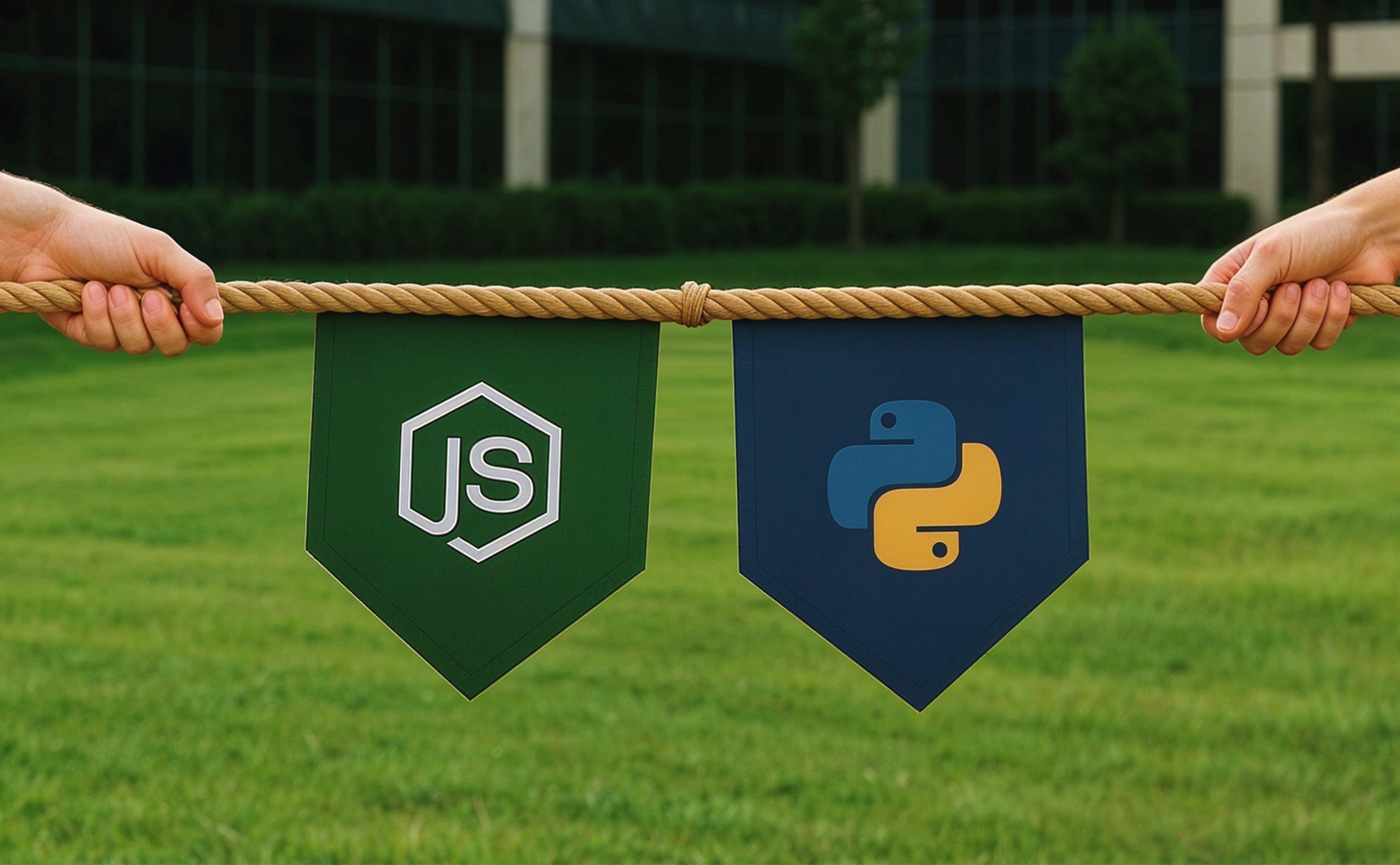
Swift is an iOS programming language, while Flutter is a UI toolkit for developing smooth frontends. These two languages are in a competition to grab the attention of developers and have a well-defined place within the tech stack. As per the 2022 Stack Overflow developer Survey, Flutter had a slight lead in cross-platform app development popularity among “All respondents” with 12.64%, closely followed by React Native. As of 2024, 9.4% of developers worldwide use Flutter, while 4.3% adopt SwiftUI, according to Statista.
This blog provides an in-depth look at Swift and Flutter, highlighting their features, strengths, limitations, and offering a detailed comparison. Read on to identify which framework aligns best with your iOS app development goals.
What is Swift?
Swift is a powerful, high-performance programming language created through collaboration between Apple and the open-source community. It is designed for versatility; it supports multiple programming paradigms and integrates seamlessly with Apple’s Cocoa and Cocoa Touch frameworks, making it ideal for building fast, secure, and modern iOS, macOS, watchOS, and tvOS applications.
It also supports multiple features, including dynamic dispatch, late binding, and extensive programming. Swift's latest release, 5.0, has introduced several new capabilities to enhance the development of immersive applications.
Swift was initially intended to succeed Objective-C. It was created to enhance developers' efficiency and streamline the entire development process.
Looking to create a powerful, native iOS experience that reflects your brand’s precision and quality?
Reach out to usLoading...
Key Features of Swift

1. Easy-to-use Syntax
A notable feature of Swift is its ease of access. Swift enables you to implement any algorithm or logic with a syntax that is clear, concise, and intuitive, thereby simplifying the reading and comprehension of the code.
2. Better Memory Management
Earlier versions of Swift and other iOS programming languages faced criticism for their high memory usage. In contrast, modern Swift automatically manages memory allocation within the app, which optimizes performance by reducing bandwidth consumption and conserving storage space.
3. Impressive Genetics
It can be called one of the best features of the programming language. This allows you to reuse and makes handling applications more flexible.
4. Fast Performing
Swift is a highly efficient language, enabling you to spend less time on code testing or error corrections due to its automation of the entire process. As a result, it reduces the time required to interact with the application.
5. Deliver for Multiple Platforms
This programming language is compatible with various operating systems, including Linux, macOS, and WatchOS, in addition to iOS.
6. Improves Code Security
With the right use of Swift, your application will remain safe and secure. The programming language itself checks for any errors before going into production. Swift automatically removes unsafe components, ensuring the execution of only secure elements.
What is Flutter?
Flutter is an open-source framework created by Google to facilitate building native applications with just one database. This allows you to build cross-platform applications while utilizing a single Flutter database. According to JetBrains, Flutter is the #1 cross-platform framework.
It offers a comprehensive set of SDKs, including all the necessary tools for building applications for both Android and iOS. The framework of Flutter includes extensive and reusable UI elements, which help build the interfaces more quickly. The Flutter framework is developed with the Dart programming language, another language supported by Google, which has seen numerous updates and enhancements since its initial release. Flutter lets you build, test, and deploy apps easily.
Key Features of Flutter
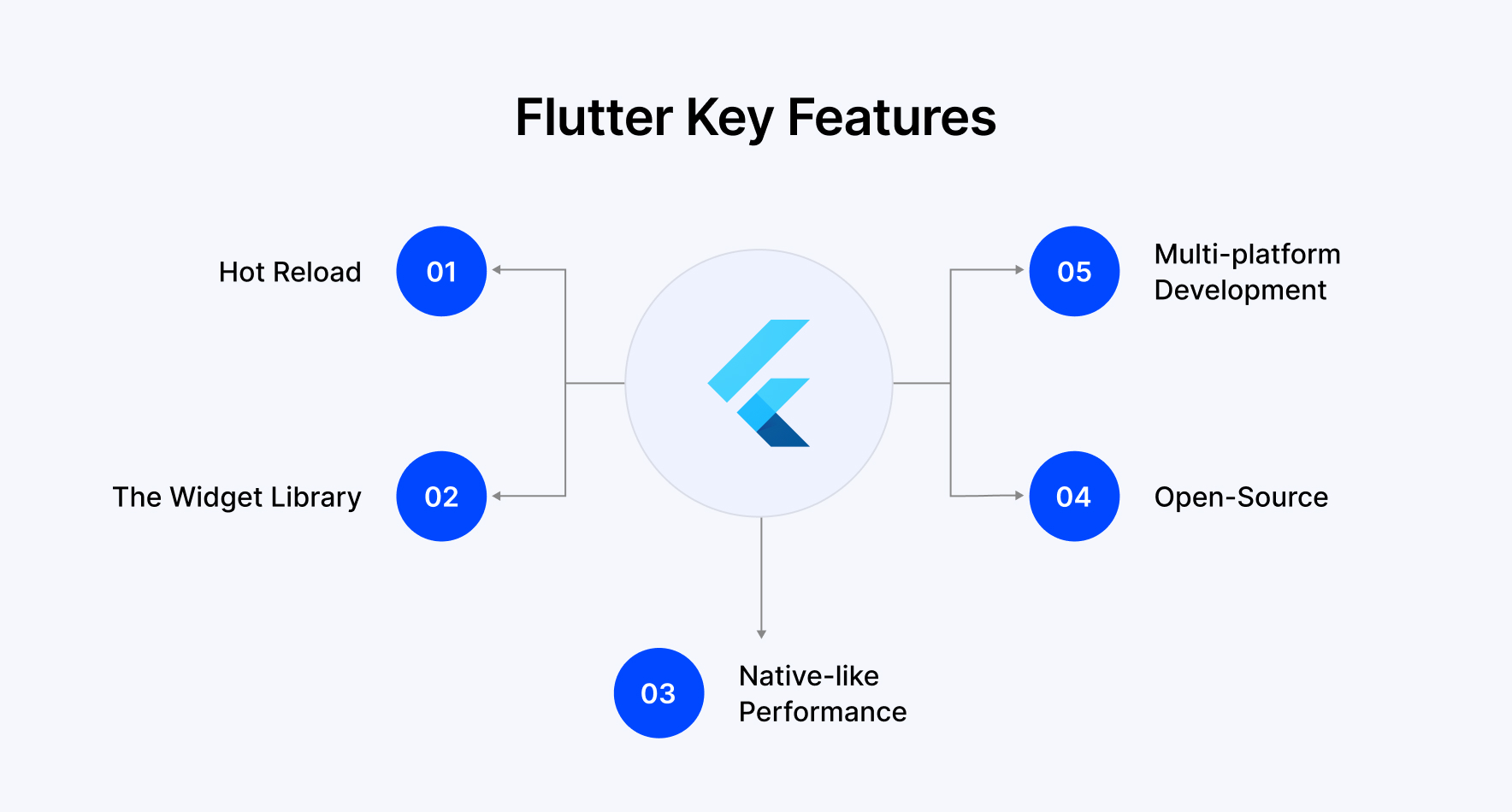
1. Hot Reload
This feature of Flutter is one of the finest and allows developers to change the live environment without letting it impact the production-stage application. This allows you to speed up the error finding and deploy the changes.
2. The Widget Library
The UI elements in Flutter are designed as widgets. This allows you to utilize these widgets and incorporate and customize them into your design. This enables the simple representation of even the most intricate structures.
3. Native-like Performance
Flutter is a cross-platform framework that provides a native-like experience in addition to its development capabilities. Another important feature of Flutter is that it includes platform-specific widgets, which can be used to implement particular features and functions. Third-party integrations enable Flutter to leverage native-specific coding languages.
4. Open Source
This feature allows you to view the source code and modify it to implement changes to the framework.
5. Multi-Platform Development
It can be used to develop applications for multiple web and mobile platforms.
Pros and Cons of Swift
| Pros of Swift | Cons of Swift |
|---|---|
| Efficient Compilation and Performance: Uses the LLVM compiler for faster and more efficient code compilation. | Less Mature Than Other Established Languages: Lacks the maturity and extensive tooling of older languages like C# or C++ |
| Modern Syntax and Reliability: Simplify maintenance, reduce bugs, and improve development reliability. | Limited Cross-Platform Capabilities: Primarily focused on Apple’s ecosystem with less flexibility for other platforms. |
| Strong Security Through Memory Management: Automatic memory management and code validation enhance security and stability. | Tool Availability Challenges: Frequent updates make it difficult to find stable, compatible tools. |
| Instant Access to Native Libraries: Smooth integration with device libraries improves compatibility and functionality. | Xcode Dependency: Development is tied to Xcode, limiting flexibility for teams preferring other IDEs. |
| Vibrant Open Source Ecosystem: A Large Community ensures continuous improvements and feature enhancements. |
Pros and Cons of Flutter
| Pros of Flutter | Cons of Flutter |
|---|---|
| Accelerated Development Process: Eliminates the need for separate teams across platforms, streamlining the workflow. | Evolving Technology: As a relatively new framework, frequent updates may limit the immediate availability of advanced features. |
| Real-time Updates: Developers can instantly test and implement modifications without reloading. | Platform Update Delays: Updates for native Android may take longer to implement in Flutter apps. |
| Pixel Perfect Control: Provides direct access to the rendering layer for complete UI customization | Native App Aesthetics: May not fully replicate the authentic look and feel of platform-specific native apps. |
| Comprehensive Documentation: Extensive resources help developers follow best practices and ensure smooth workflows. | Limited Design Standards: Lacks established design conventions tailored to its unique development practices. |
| Pre-Built UI Components: Comes with ready-to-use widgets, saving time on UI creation. | |
| Single Codebase Strategy: A unified codebase supports multiple platforms, reducing time costs. | |
| Responsive Design Capabilities: Adapts seamlessly to different screen sizes and device types. |
Wondering if Flutter is the right choice for your next cross-platform app?
Let's TalkLoading...
Comparison Table of Flutter vs Swift
There are several differences between Swift and Flutter; some may be small, but they can have a significant impact on the end product. The following is a comprehensive comparison of the differences between Swift and Flutter in a table format.
| Parameters | Swift | Flutter |
|---|---|---|
| Language Type | Static | Static |
| Cross-Platform Compatibility | No | Yes |
| Open Source | Yes | Yes |
| UI Builders | SwiftUI | Flutter UI Toolkit |
| Type of Programming Language | Object-oriented and has functional elements | Object-Oriented |
| IDE Used | Xcode | Android Studio, IntelliJ, Visual Code |
| Multi-Threading | Futures + Streams | Async/Await + Combine/td> |
| UI Paradigm Used | Declarative | Declarative |
| Accessibility | In-built accessibility support for iOS apps | Supports accessibility for external tools |
| Learning Curve | Easier for developers familiar with Apple’s ecosystem | Beginner-friendly with structured learning paths |
| Development Time | Relatively Slower | Fast |
| Reloading | Has a Hot Reloading feature that allows making real-time changes | Real-time changes are possible |
| Integration | Jenkins Tool | Nevercode Tool |
| Application Size | Flexible | Large |
| Testing | Native Testing Tools like XCTest help in Testing | Built-in Testing Support |
Flutter vs. Swift: In-Depth Comparison
‣ Integration and Development
Both Flutter and Swift are excellent. Flutter, on the one hand, has many plugins and packages that can integrate well into applications. It also facilitates the integration of third-party app services such as Firebase and Google Maps. On the other hand, Swift offers various system APIs and frameworks that assist in creating efficient iOS applications.
Verdict: Flutter is a popular option for developers seeking seamless, effective, and extensive integration across various platforms and services due to its cross-platform compatibility and flexible plugin support.
‣ Accessibility
This refers to improving the UI/UX for users with disabilities. When developing an iOS application, it is essential to create one that caters to all users. Swift has included built-in accessibility support through the UIKit framework. The developers who are employing the UIAccessibility protocol are accountable for accurately supplying accessibility information for each UI element.
Flutter doesn’t have an inbuilt accessibility feature. However, according to the documentation, iOS apps can conduct the audit using Xcode's Accessibility inspector tools. This is an ongoing issue regarding the addition of accessibility identifiers for testing, which has been in progress since 2018.
Verdict: Swift leads in accessibility due to its mature, integrated tools that simplify inclusive design, providing a smoother and more reliable experience for developers who build apps for users with accessibility needs.
‣ Security
To guarantee user privacy and secure data storage, Swift leverages Apple's robust security ecosystem, which encompasses the Keychain data protection API, ATS, code signing, sandboxing, and biometric authentication.
Flutter provides app security through various measures, including secure storage plugins, HTTPS communication, backend authentication, code obfuscation, input validation, and regular updates of dependencies, creating a strong foundation for secure cross-platform app development.
Verdict: Swift wins in security with its advanced inbuilt mechanisms and Apple-backed safeguards, offering developers a more secure foundation for building stable enterprise-grade iOS applications.
‣ Performance
Swift provides exceptional performance for iOS applications due to its native compilation, optimized code, and advanced memory management, which makes it well-suited for high-computation tasks.
Flutter delivers an impressive cross-platform performance characterized by smooth animations, quick startup times, and efficient rendering through its layered architecture, positioning it as a compelling alternative when cost and flexibility are priorities.
Verdict: Swift provides exceptional performance, particularly on iOS, due to its native execution and strong hardware integration. This makes it well-suited for applications that require high speed and responsiveness.
‣ Development Cost
Swift and Flutter are open-source frameworks. The cross-platform functionality of Flutter makes it more reasonable than Swift. Flutter can offer iOS and Android apps with a single codebase, while Swift can only build an iOS application. This results in higher mobile app development costs when using Swift.
Verdict: Flutter wins in cost efficiency, enabling businesses to launch across platforms while reducing the time, resources, and costs associated with managing separate codebases.
‣ Development Time
Flutter allows you to monitor the development time for each APK using specific build commands. In terms of clean builds, Flutter’s build time for iOS apps is typically slower than that of Swift. However, subsequent builds in Flutter are considerably faster.
For Swift, Xcode’s command line tools reveal the build duration after the build command is executed, with a clean build taking approximately 13.334 seconds.
Verdict: Flutter is more time-efficient with its quick iteration cycles, making it an excellent option for startups and teams aiming to accelerate time to market without compromising on functionality.
‣ Learning Curve
The learning curve is identified as how easy or difficult it is to learn a new app development technology. It is one of the most important criteria for selecting one iOS app development technology over another. Swift might be easier for developers who are familiar with Objective-C, while Flutter has a steep learning curve due to the Dart language.
Verdict: Learning Swift or Flutter completely depends on the interest of the developers.
‣ Application Size
Flutter offers a lightweight runtime environment that allows for the creation of fast and compact mobile applications at a lower cost. Its built-in features, including tree shaking and code splitting, further reduce the final size of the application. According to a survey by Statista, 46% of software developers used Flutter.
Swift, being a native iOS framework, facilitates the development of efficient and high-performing applications. Its compiler improves performance while minimizing file size through advanced methods like whole module and link time optimizations.
Verdict: Swift is the winner in the optimization of application size, as it produces leaner applications that require less space. This is particularly important for users in regions with slower internet speeds or those with limited device resources.
‣ Community Support
The community of Flutter is growing and getting support from Google. This provides an abundance of resources through its official package repository, pub.dev. Developers have complete access to various tutorial sessions, forums, sample codes, and other packages that are necessary for the development process. Moreover, the Flutter ecosystem is rapidly expanding with the frequent addition of new packages.
On the other hand, Swift has a very active community, which is supported by Apple. This offers a wide range of resources, including tutorials, documentation, third-party packages, and more. Additionally, the Swift Package Manager simplifies the dependency management within Swift projects, which allows developers to build and maintain applications more efficiently.
Verdict: Flutter boasts a broader, fast-growing developer community with rich support forums and resources that make it easier for developers to find solutions, share insights, and stay updated.
‣ Documentation
Flutter has comprehensive documentation with explanations and examples, making it effortless to grasp. The well-written Flutter documentation enables developers to test new widgets and observe real-time changes.
Swift also has extensive documentation, which includes syntax, classes, functions, types, and more. The documentation for Swift Playground is highly interactive and enables real-time code writing and testing.
Verdict: Both Flutter and Swift have comprehensive documentation.
‣ User Interfaces or UIs
Flutter offers a diverse array of customizable widgets and a flexible layout system, making it an excellent choice for quickly building responsive, brand-specific user interfaces. Swift, being Apple’s native programming language, provides a seamless experience for iOS development by granting access to system APIs and UI components. This allows developers to create highly customized and responsive interfaces that adhere to Apple’s design standards.
Verdict: Swift is the premier choice for providing authentic native iOS user experiences, particularly when precise design and compliance with Apple’s design philosophy are crucial.
‣ Reusability
Flutter provides high reusability through its extensive widget library. This feature allows developers to utilize the same components across different platforms and sections of an app, which accelerates development.
In contrast, Swift is confined to Apple ecosystems but enables code reuse across iOS, macOS, and watchOS, with support from system-level APIs. Overall, Flutter has a stronger advantage in cross-platform reusability, while Swift is more effective within Apple environments.
Verdict: Flutter excels in code reusability, enabling developers to build and deploy applications across multiple platforms with ease. This capability is a significant advantage for businesses aiming to reach a broader audience while managing limited resources.
‣ Platform Maturity
Swift, launched in 2014, is a mature platform known for its robust ecosystem, optimized performance, and strong developer support. In contrast, Flutter, introduced in 2017, is a newer framework that is rapidly gaining maturity. It offers cross-platform capabilities along with a growing library of third-party packages and plugins, making it a powerful choice for developing modern, feature-rich applications.
Verdict: Swift remains ahead in terms of platform maturity due to its established track record, while Flutter is rapidly narrowing the gap through frequent updates and broader platform support.
Conclusion
Both Flutter and Swift are wonderful choices, but choosing the right platform depends on your specific needs and requirements. Which will be your choice? It depends more on the level of expertise in Flutter vs. Swift for creating your next iOS app. If the native iOS experience is your requirement, then Swift is the right platform; or if you want to target multiple platforms and value faster development with a consistent UI, then Flutter is the right choice.
So, do you have a clear picture regarding which platform is better for iOS app development: Flutter or Swift? If you are unsure, our team at Webandcrafts will assist you in choosing the better option for your needs. Our skilled team of Swift and Flutter developers will provide you with top-notch services delivered with precision. Hire our Flutter and Swift developers to build high-performance iOS and cross-platform mobile applications with seamless user experiences and scalable architecture.
Still wondering whether Flutter or Swift is the right choice for your iOS app?
Let's TalkLoading...
- React Native vs Swift: Which one should you choose for iOS app development?
- Swift Vs. Objective-C: Which is the Best Option for the 2026 iOS App Development?
- Flutter vs. React Native: Which One to Choose in 2026?
- 5 Best Cross-Platform App Development Frameworks
- Understanding the Difference Between Native App and Hybrid App
Discover Digital Transformation
Please feel free to share your thoughts and we can discuss it over a cup of tea.